03POS
A checkout that keeps going when the internet drops.
Sales, store credit, inventory and electronic invoices issued straight to the tax authority (SEFAZ), with the counter connected to the server over a VPN I set up.
From printer technician to the system that prints the tax receipt.
- React
- Express
- Prisma
- PostgreSQL
- NFC-e
- WireGuard
The problem
A store needed to sell, manage the cash drawer and store credit, and issue electronic tax invoices in a single system that kept working when the internet dropped.
What I built
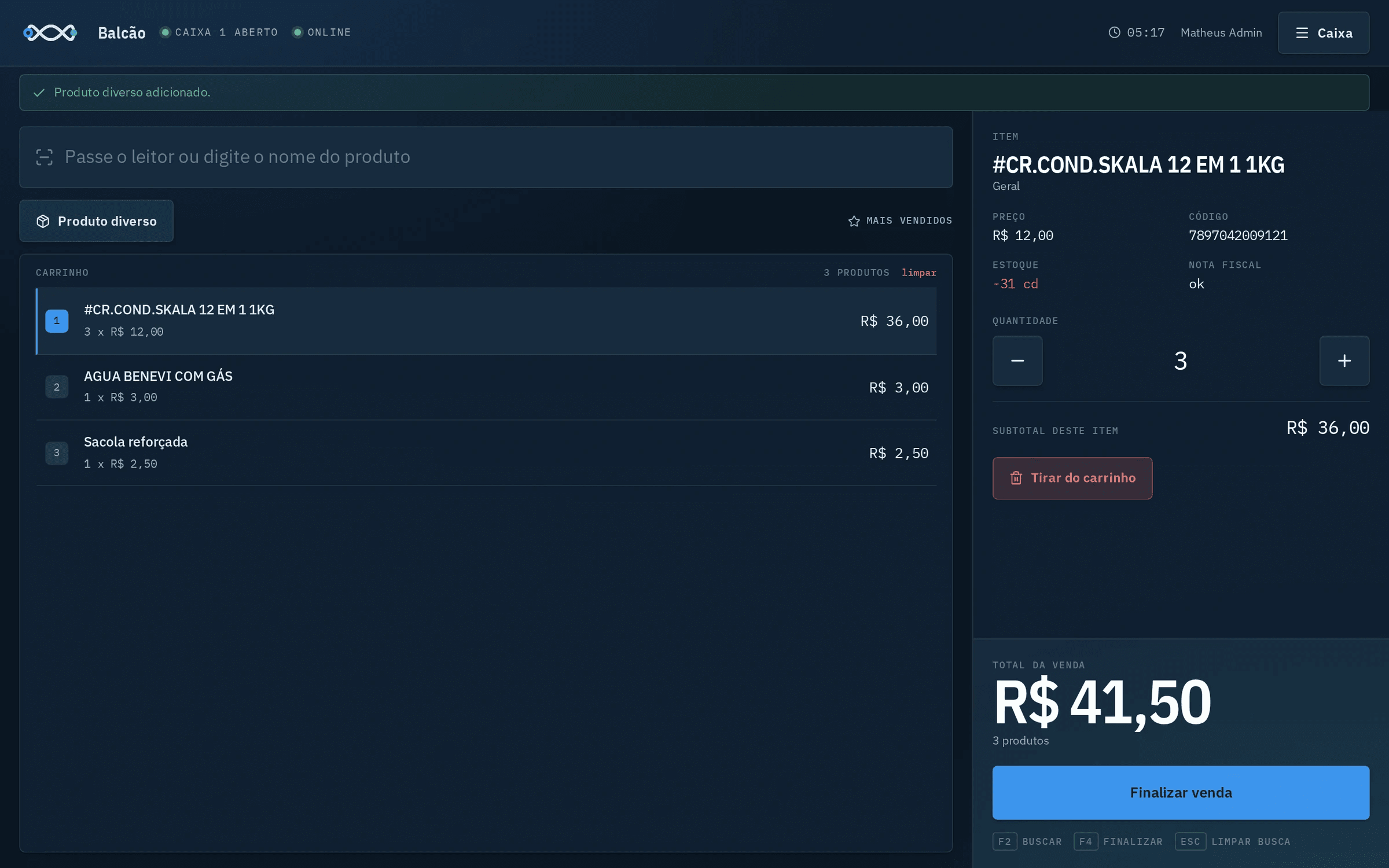
- Sales with barcode scanning and payment by cash, debit, credit, PIX or on account.
- Cash drawer with opening, withdrawals, top-ups and closing.
- Store credit with interest and tracking of who owes what.
- Inventory that comes in by importing the XML of the purchase invoice.
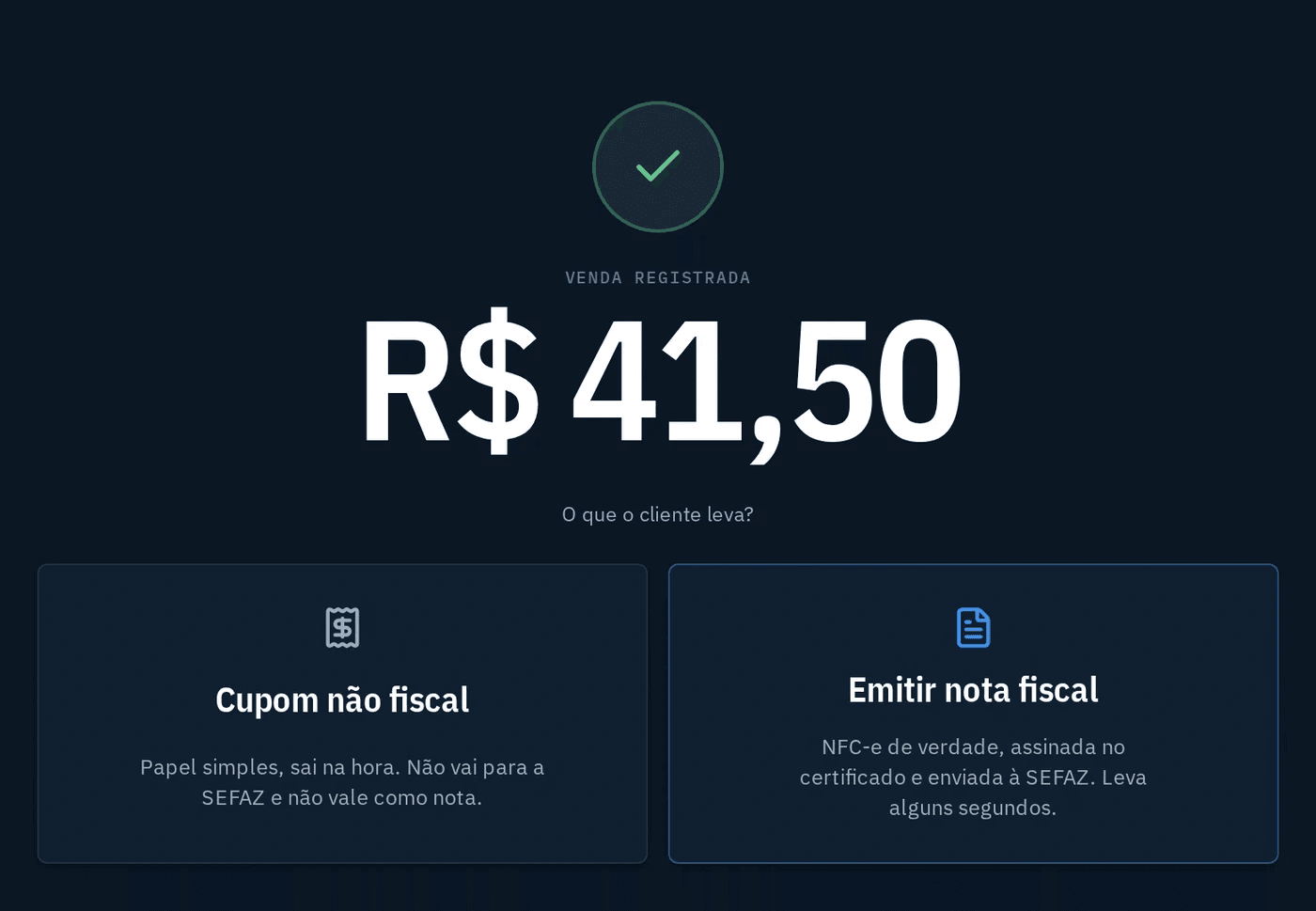
- Consumer electronic invoices authorized by SEFAZ, with a digital certificate and a PDF receipt with a QR code.
- Works offline and syncs when the connection comes back.
The screens
Screenshots of the real system. Click a screen to see it full size.

Start: the counter, which sells all day, and management, still being built.
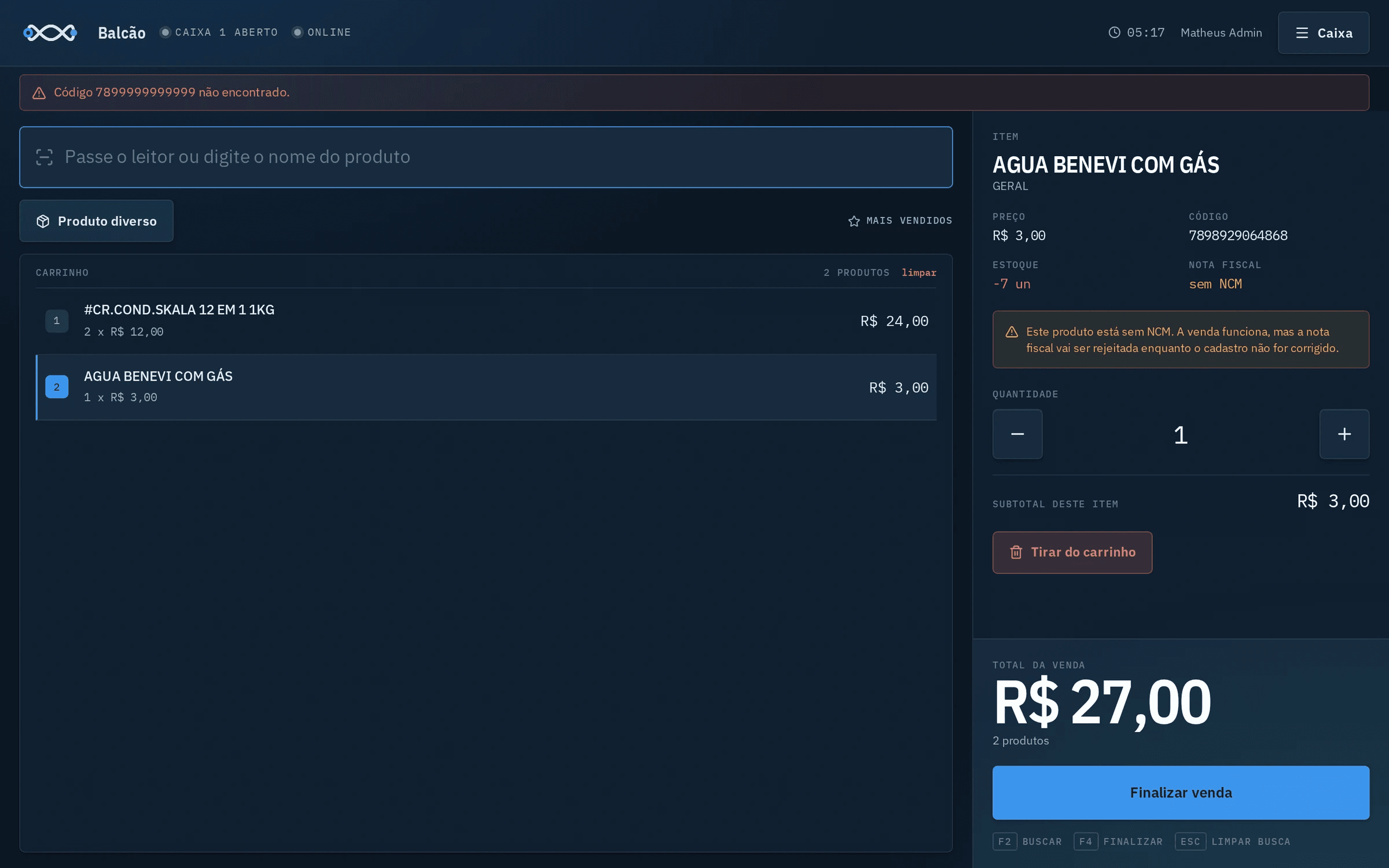
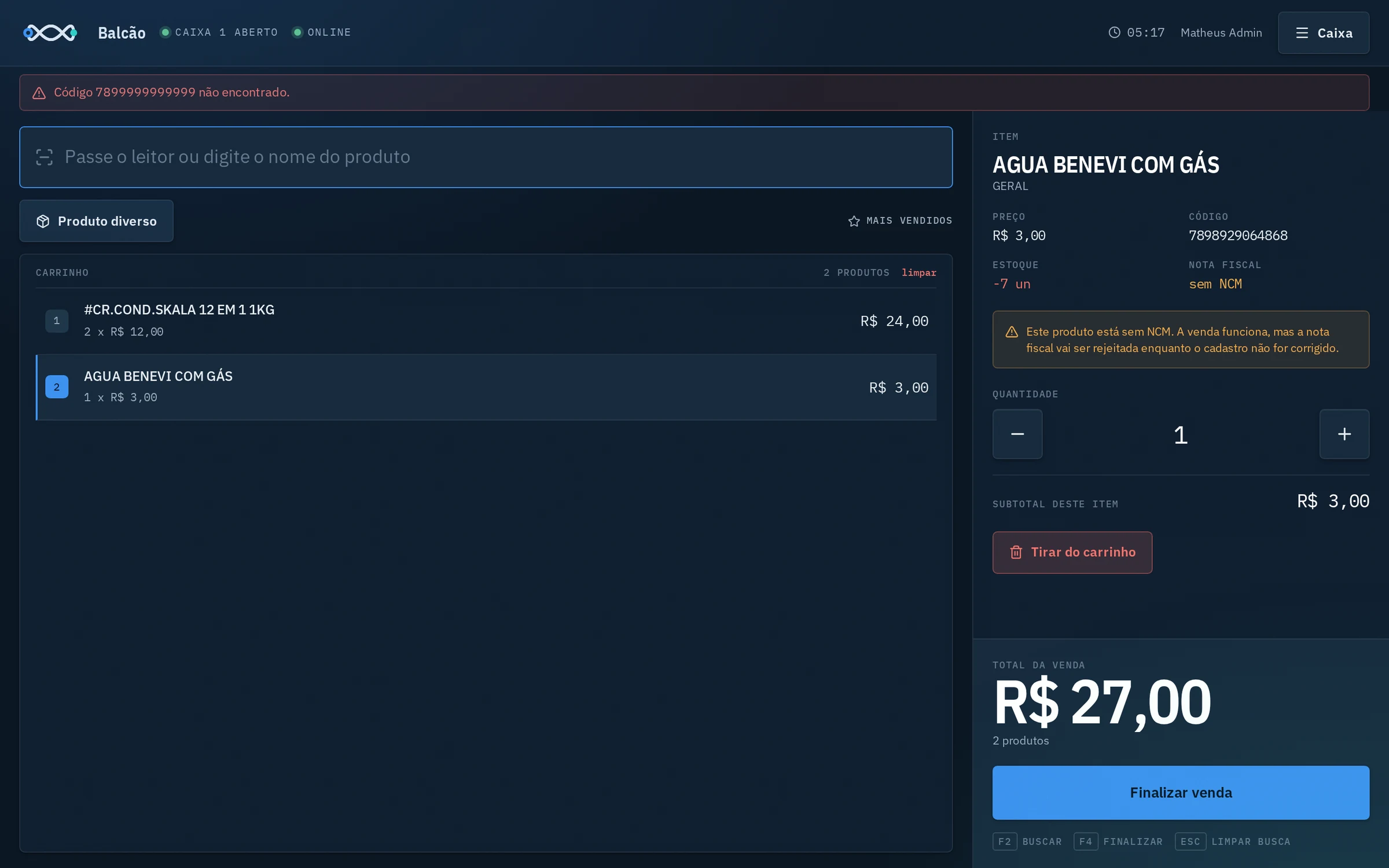
Product with no NCM code: the sale goes through, and the system warns that the invoice will be rejected until the record is fixed.
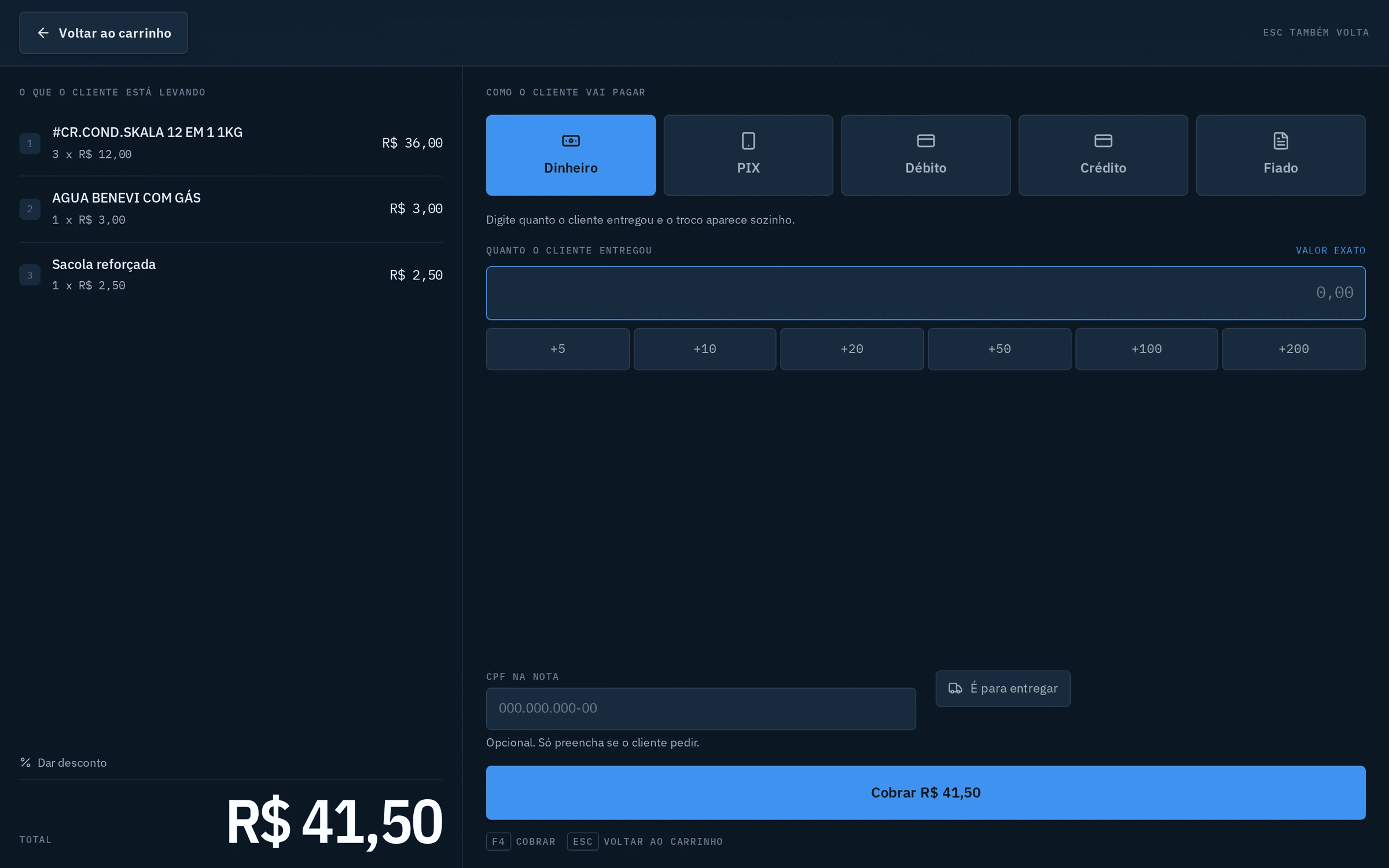
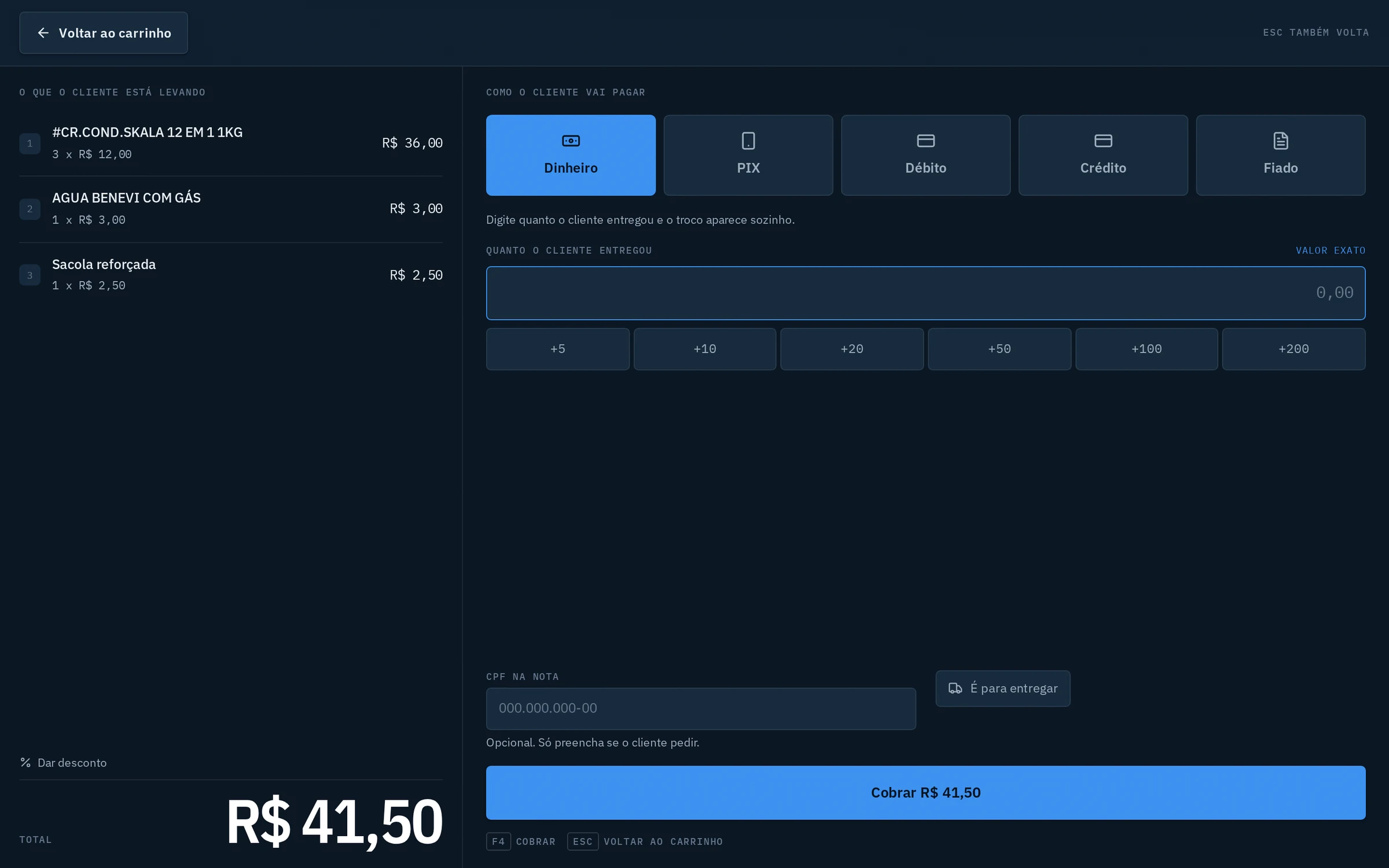
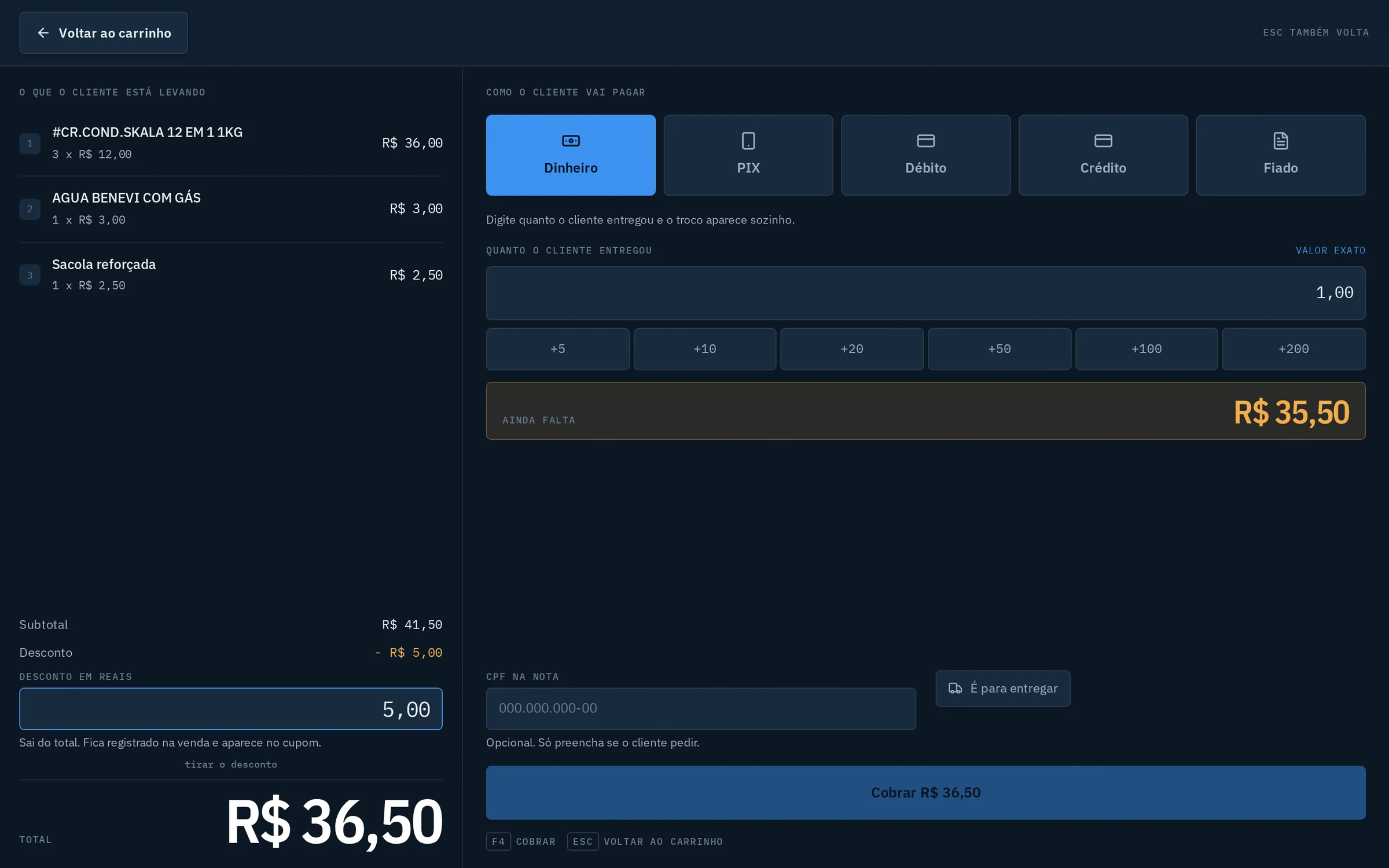
Payment by cash, PIX, debit, credit or store credit, with change worked out automatically.
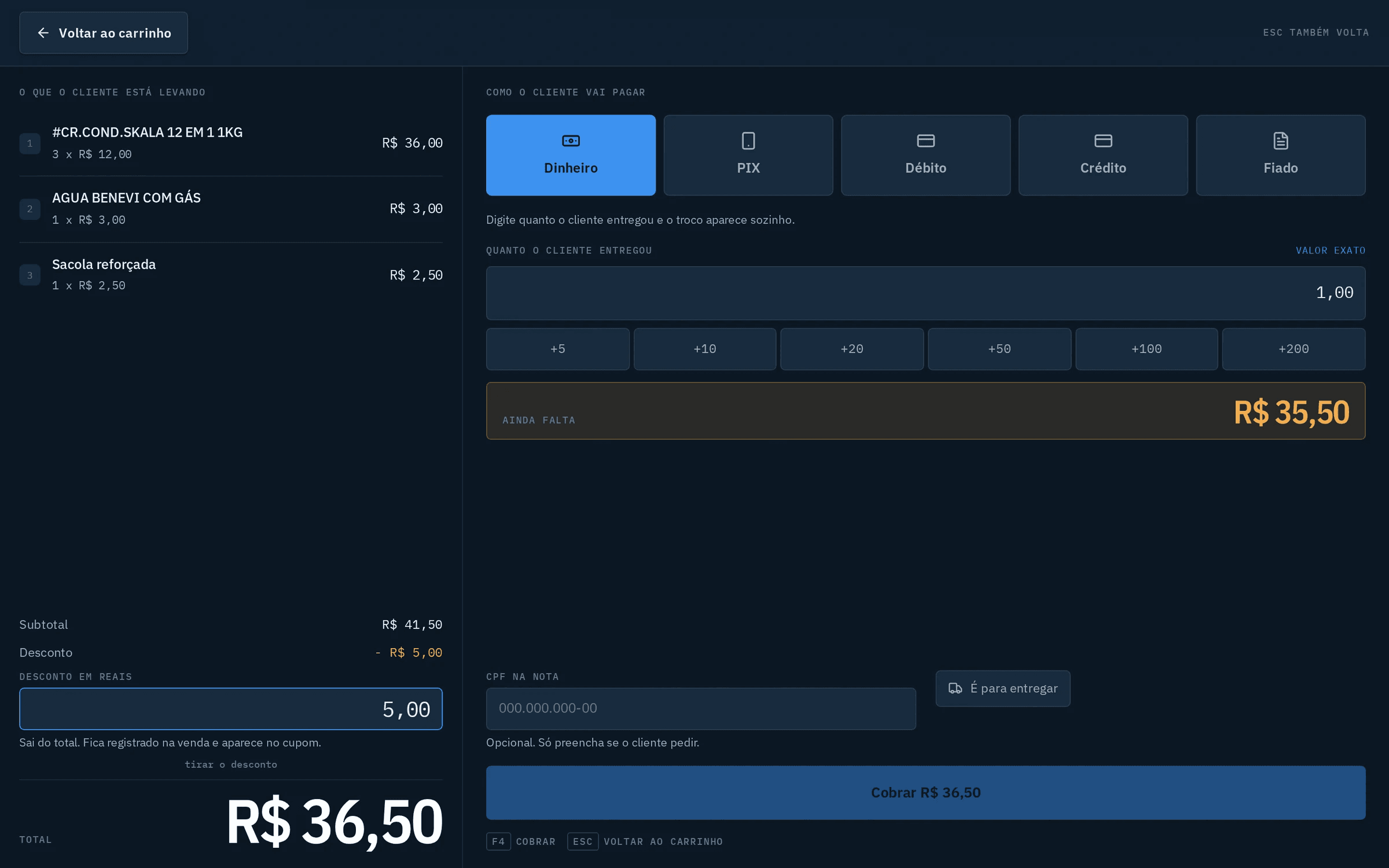
Discount in reais, recorded on the sale and printed on the receipt.

Register: opening, cash drops, float, closing and manual sync.
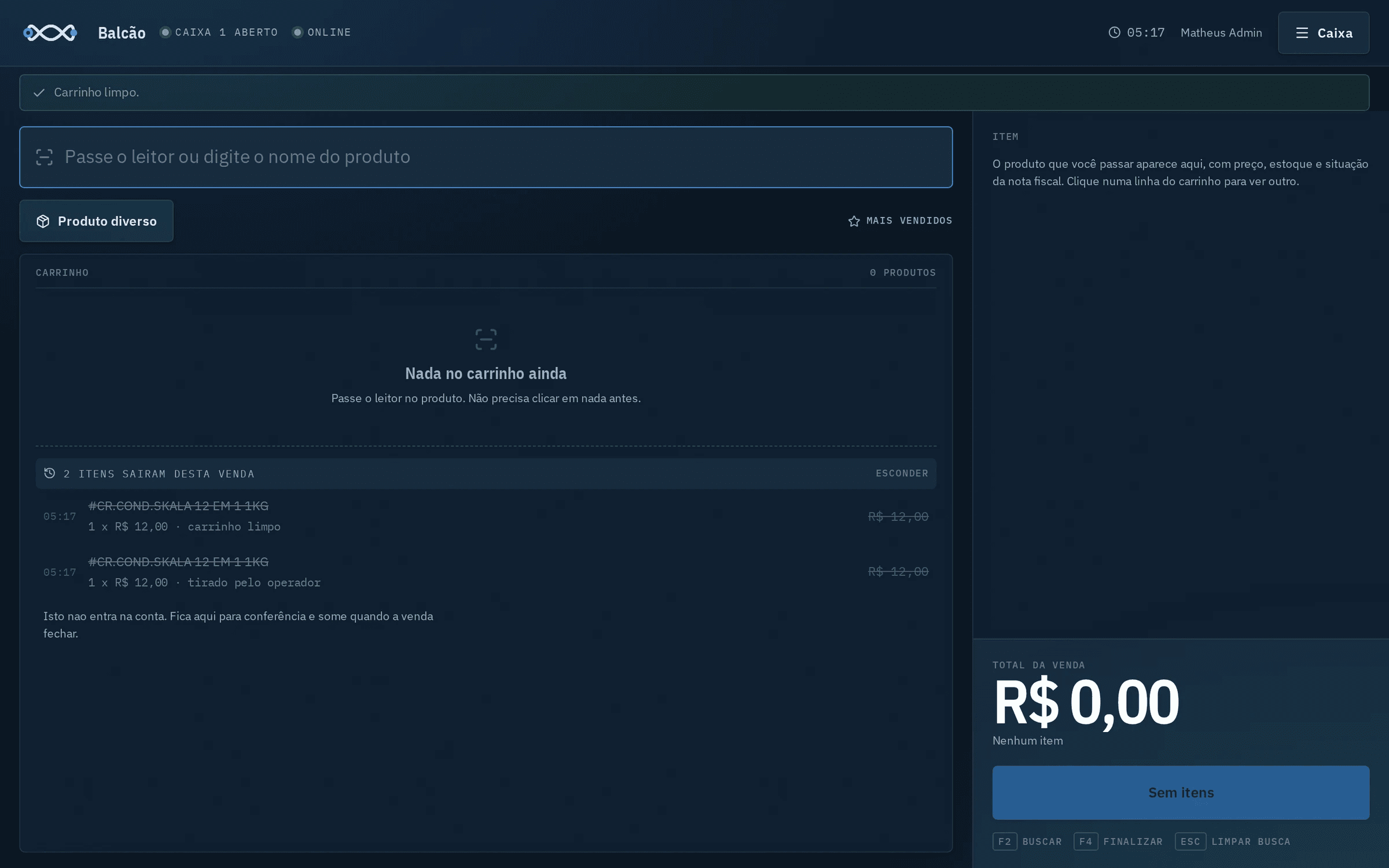
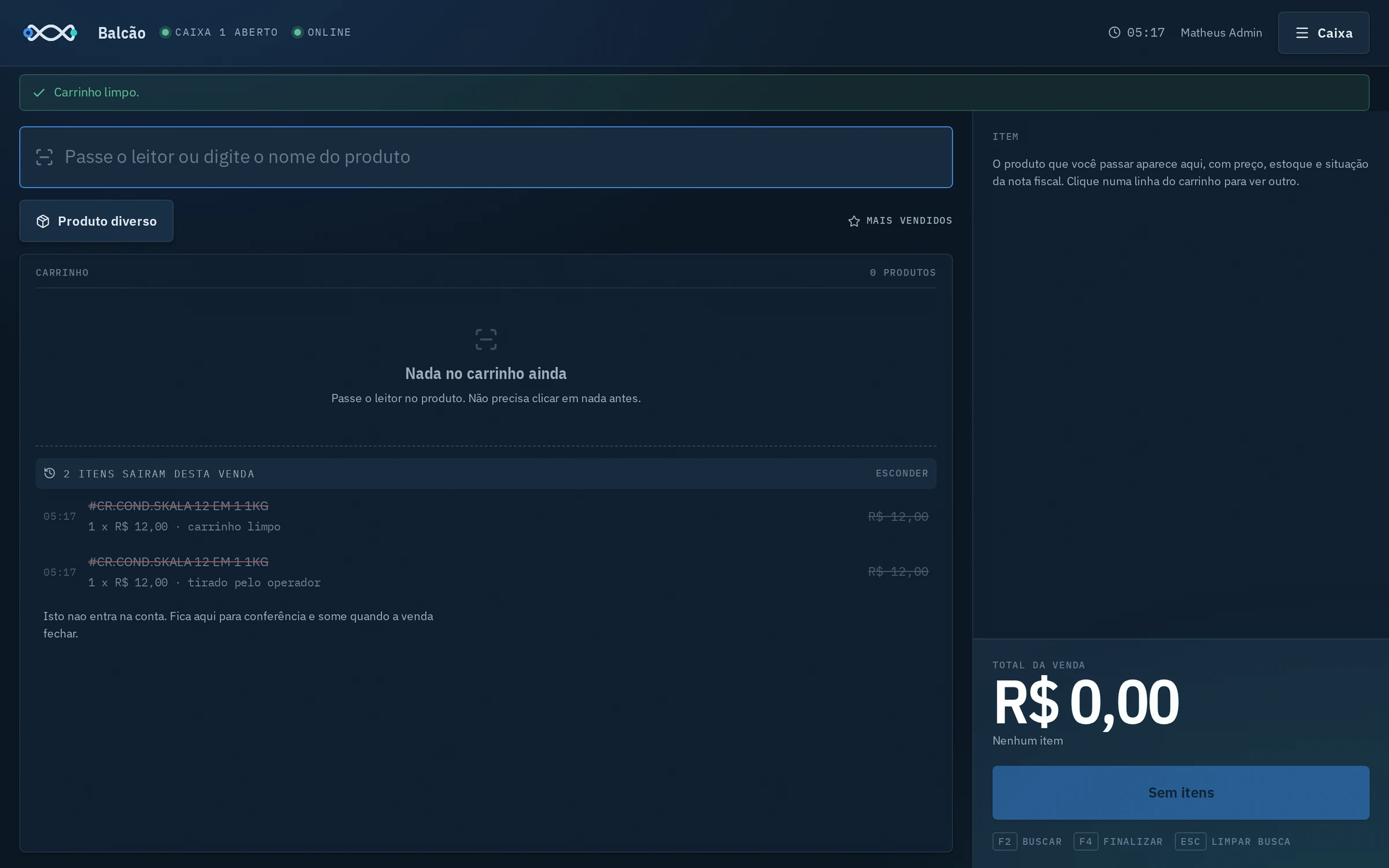
Items removed from the cart are logged for review, without counting toward the total.


How it works
At the counter
The checkout runs in the browser and stores sales on the computer itself, in IndexedDB.
On the server
The Express API, with Prisma and PostgreSQL, receives sales whenever there's a connection.
At SEFAZ
The invoice is signed with the store's certificate and sent for authorization.
The path
The counter talks to the server over its own WireGuard VPN.
Decisions that mattered
Offline first
Why: A stopped checkout is a lost sale. The counter keeps selling without internet and settles up later.
Sensitive data encrypted
Why: The certificate and customer data are encrypted with AES-256-GCM in the database.
A VPN just for the counter
Why: The store's computer isn't exposed to the internet: it talks to the server through a closed tunnel.
What went wrong
Every real system breaks somehow. These were the stumbles that taught the most, and what changed because of them.
The new card signed in a rejected format
What happened
The store's digital certificate expired, and the new smart card produced a signature the tax authority wouldn't accept. There was no fixed driver available.
What changed
I wrote my own transmitter that talks PKCS#11 directly to the card and signs in PKCS#1, the accepted format. Invoicing came back.
The agent was up, connected and useless
What happened
The program that signs invoices at the counter looked healthy: the process existed and the connection was open. But it wasn't signing anything, and that cost three days in August.
What changed
The watchdog now asks the agent itself whether the card is connected and signing works, and restarts it when not. A live process doesn't prove a working service.
The zero that vanished from the tax code
What happened
When importing purchase invoices, the XML parser turned the NCM code 02071413 into a number, and the leading zero disappeared. The tax authority rejected invoices for those products.
What changed
Tax data is text, even when it looks like a number. And the counter now warns, at the moment of sale, when a product's record is missing its tax code.
Where it stands
In use every day at the store.